Kustom
Kustom Checkout is what used to be called Klarna Checkout. In Invdash, Kustom is a provider of its own with its own credentials: it doesn't share a connection with Klarna. With Kustom connected, you capture, refund and release the checkout's payments straight from the order.
How payments work in general is in Payments.
What you need
- To be an owner or admin in Invdash.
- An API username and API password from Kustom. You create them in Kustom's portal, which the form links to. Credentials from Klarna's portal don't work for Kustom.
- To know whether the shop's checkout runs against Kustom's live or test environment. The two have different portals and different credentials.
Kustom can tell you how to create API credentials in its portal.
Connect Kustom
- Open Settings › Integration › Payment gateways.
- Click Connect a provider at the store. If the store already has a provider, choose Add another provider under More actions.
- Choose Kustom under Provider.
- Choose the Environment: Live or Test (Playground).
- Fill in the API username and API password and click Connect Kustom.
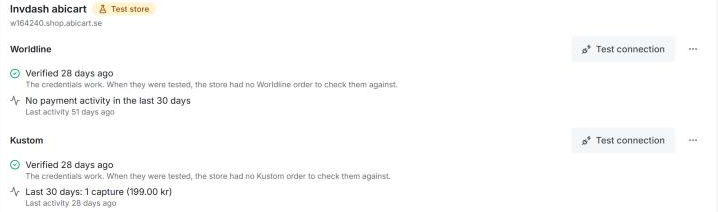
Invdash tests the connection straight away, and you can run the test again with Test connection. The test checks that Kustom accepts the credentials and, if the store has a recent order paid through Kustom Checkout, that the order is in the account.
Under More actions you find Edit credentials and Disconnect. An account in Test (Playground) moves no real money, and Invdash warns with Test mode if the store isn't marked as a test store.
Shops and orders it handles
Kustom works for WooCommerce and Abicart shops. A Shopify shop's payments always go through Shopify, see Shopify.
Invdash goes by the order's payment method in the shop:
- An order paid with Kustom Checkout, or with Klarna Checkout as the checkout is still called in some shops, is looked for in the Kustom account first and then in the store's Klarna account, if one is connected.
- An order paid with Klarna Payments is never handled through Kustom, only through a Klarna account.
The payment is found by the order id the shop saves on the order. You see it as Kustom reference on the Payment card.
A Kustom account can't manage orders placed before the shop moved from Klarna Checkout to Kustom. Such an order says "Placed before the move to Kustom". Those orders may still be with Klarna: connect Klarna to the store as well, and Invdash asks Kustom first and then Klarna. Otherwise, settle the payment outside Invdash.
What you can do
| Action | Kustom |
|---|---|
| Capture all or part of the amount | Yes |
| Refund all or part of what's been captured | Yes |
| Release reservation before anything is captured | Yes |
| Release the rest after a partial capture | Yes |
| Extend reservation | Yes |
A few things to know:
- When Invdash captures the payment as the order ships, the tracking number and the carrier go along to Kustom.
- When the order's whole total has been captured on shipping and money is still reserved, Invdash releases the rest, so the customer has no money held.
- Reserved until shows when the reservation runs out. Extend reservation pushes the day out. How far and how many times is up to Kustom, and if Kustom refuses, its own answer is shown under the message.
If something doesn't work
- "Kustom rejected the API credentials." Check that the credentials come from Kustom's portal and not Klarna's, and that the Environment matches them.
- "The credentials work, but order … isn't in this Kustom account." The shop's checkout uses another account or environment (Live or Test).
- "Placed before the move to Kustom. Kustom can't manage orders from before the move; settle it outside Invdash." See the note above.
- "Kustom can't find this payment." Check that the order was paid with Kustom and that the connected account is the shop's.
- "No Kustom payment was found for this order." The order has no order id from the checkout, so Invdash can't look the payment up. Handle it in Kustom's portal.
- "Kustom turned it down." Kustom's own explanation is on the line below. Fix what it points to and choose Retry.
- "Couldn't reach Kustom." Try again in a moment.
More messages that apply to every provider are in Payments.